Injection timeline
Export dates, doses, injection sites, and notes from your logged history.
Dosley Premium can export a clean personal history of injections, dose logs, sites, weight entries, symptoms, and notes so appointment prep does not depend on memory.
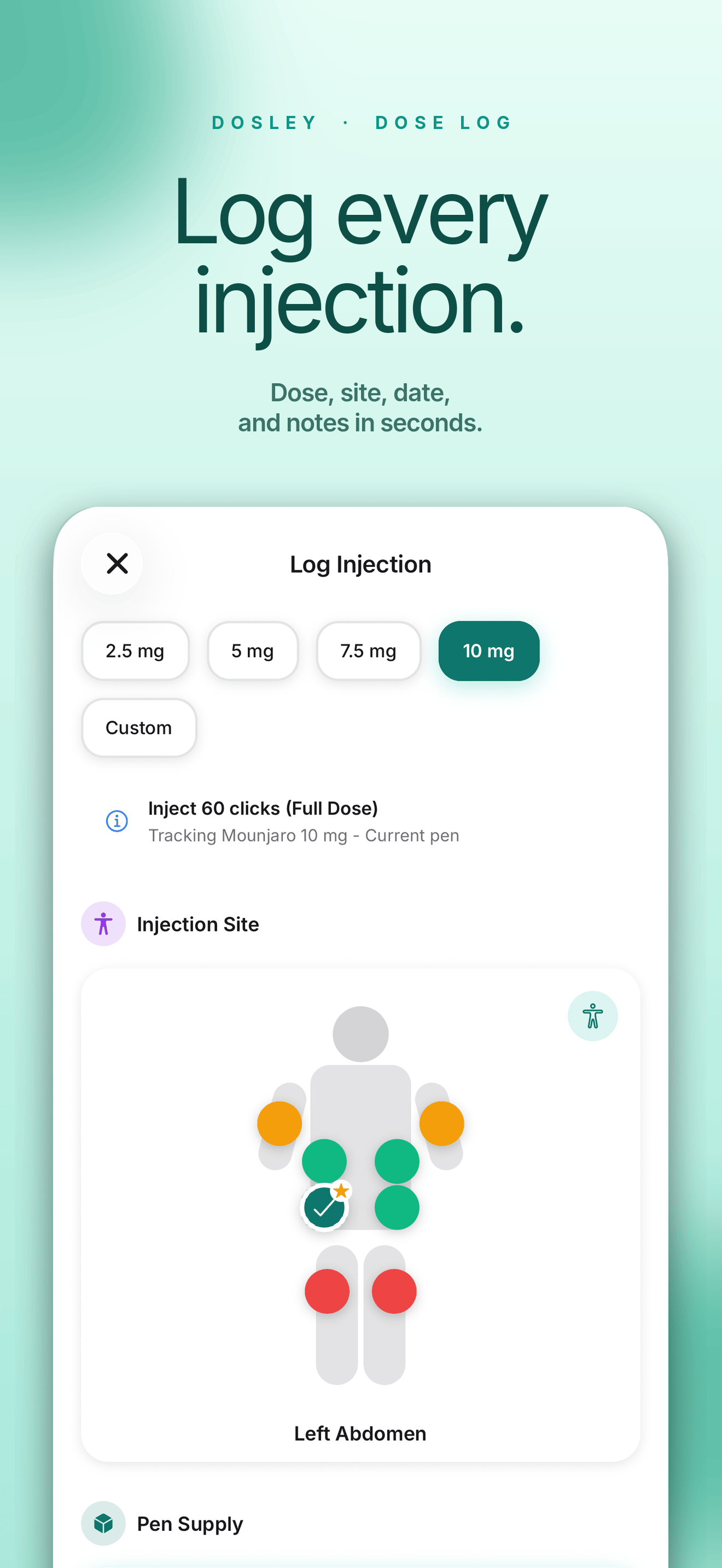
Preview before you install
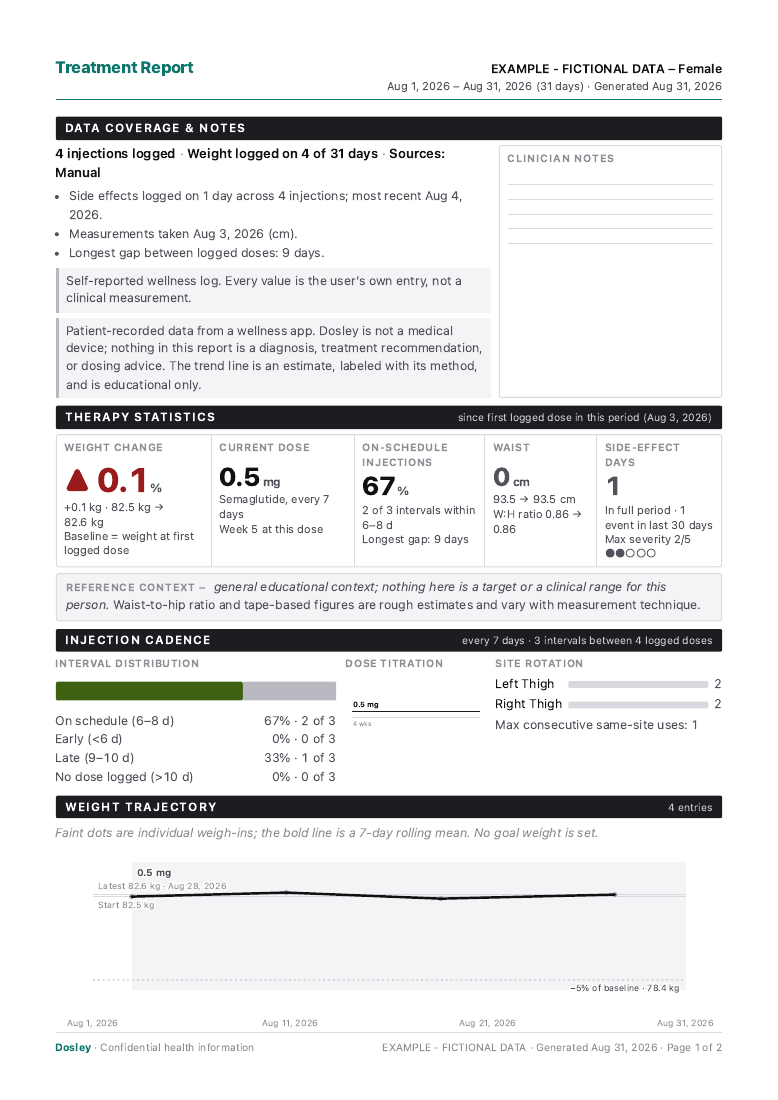
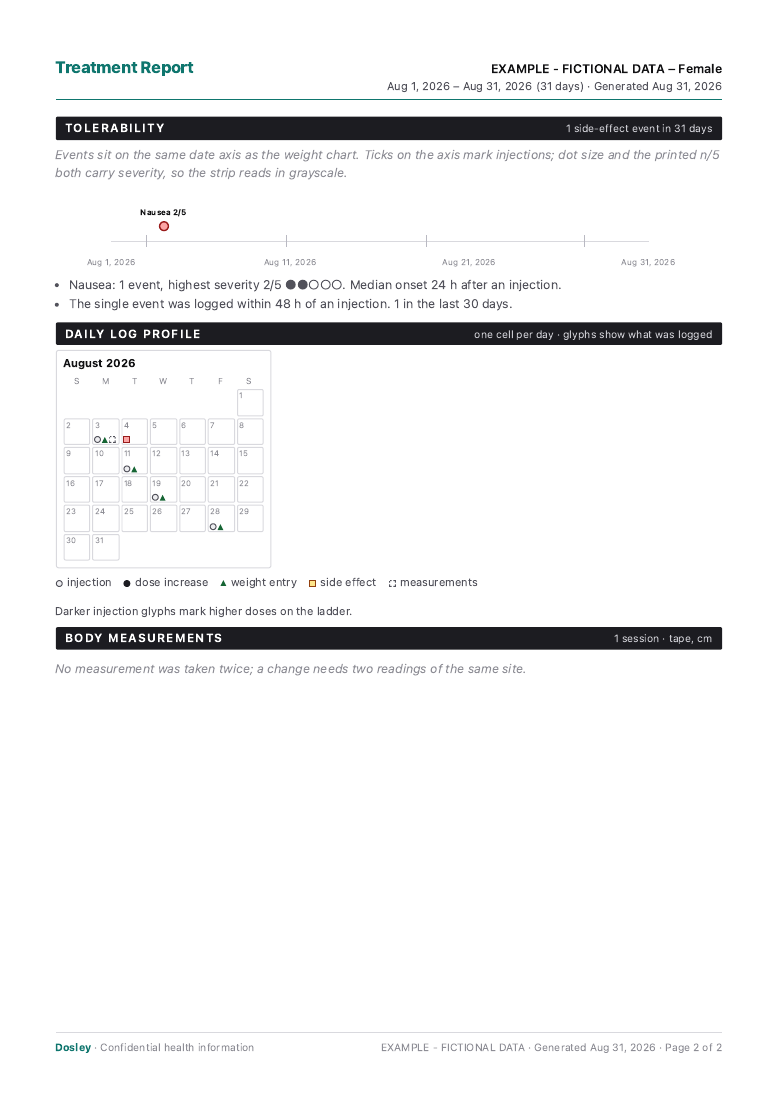
This two-page sample uses fictional records and the same report renderer as the app. The values show the layout, not expected results or a recommended dose or schedule.
Download sample PDFFree sample. Your own PDF export requires Dosley Premium.
Sign in, then open Profile → PDF Export. Choose the date range and the types of records you want to include.
With Premium, choose Summary for a short overview. The full report adds individual records.
Generate the PDF and review it before saving or sharing it. You choose who receives your personal records.
This sample includes logged injections, weights, measurements and symptoms. Pen Supply and Medication Levels stay in the app and are not included in the PDF.
Want to start on paper? Get the free injection log and spreadsheet
A good appointment record answers simple questions: what happened, when it happened, and what changed over time.
Export dates, doses, injection sites, and notes from your logged history.
Include weight history when it is useful for your own appointment prep.
Add body measurements for extra context beyond the scale.
Keep symptom notes available in the same personal record.
Pen history sits in the app beside the injections that used it. It is not part of the PDF.
Medication Levels draws an educational activity estimate from your logged injections. It lives in the app, not in the PDF, and it is not medical guidance.
Dosley does not write medical conclusions for you. It helps turn your own logs into a readable record you can review before a visit.
Log injections, sites, weight, symptoms, and notes during normal use.
Look back at the history you want to discuss.
Create a document for your own records or appointment prep.
Dosley keeps export as a deliberate action. Your report exists when you choose to create it.
Create and share a report only when you decide it is useful.
Core tracking can start before account setup.
The report summarizes your logs. It does not interpret them medically.
Dosley exports personal wellness records for appointment prep. It does not diagnose, treat, recommend dose changes, or provide medical advice.
The export can summarize logged injections, dose history, sites, weight entries, symptoms, and notes depending on what you track.
No. It is a personal wellness record export, not a clinical report or medical interpretation.
Yes. PDF export is a Premium feature. Core tracking is available without Premium.

Download Dosley to track your routine now and export a personal PDF history when you need it.